
IGIPTV Knowledge Hub
IPTV EPG Guide: What Is an Electronic Programme Guide?
Without a programme guide, a channel list is just a list of names. The EPG is what turns it back into television: what's on now, what's next, when the match starts and how long the film runs.
This guide explains what an EPG contains, how it reaches your player, what to do on each type of device, and why the guide sometimes shows the wrong programme.
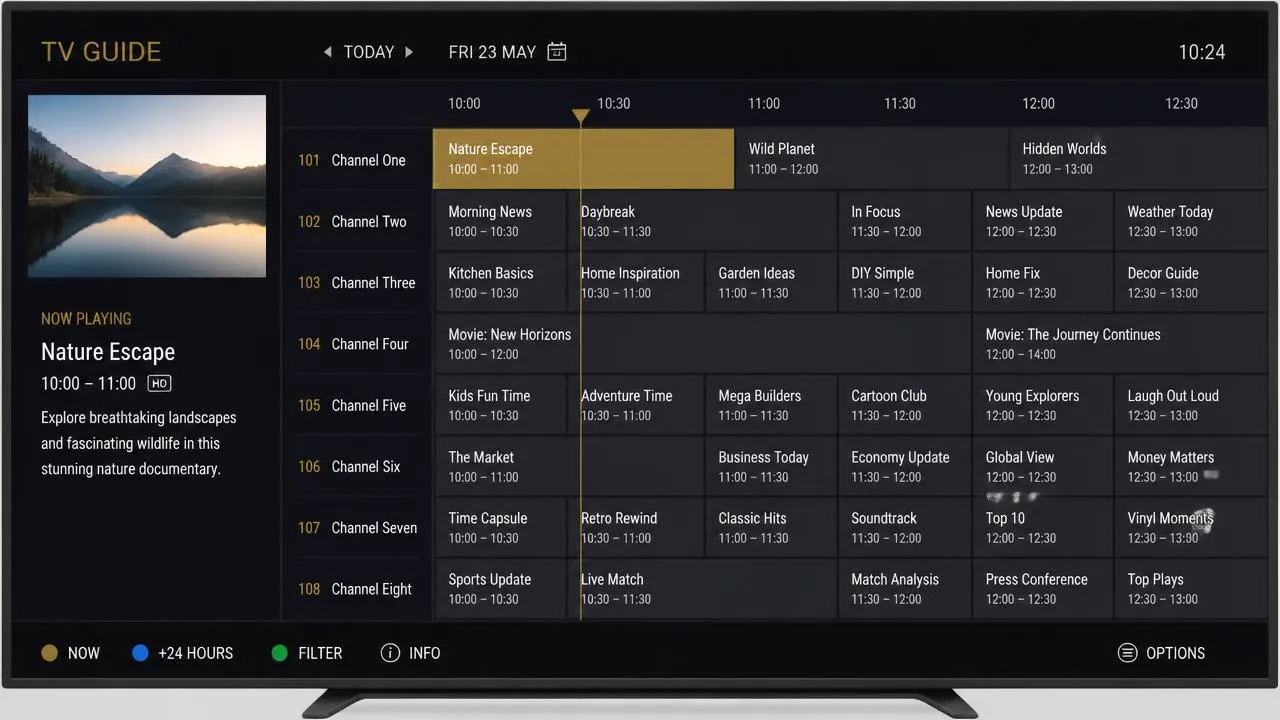
What EPG means
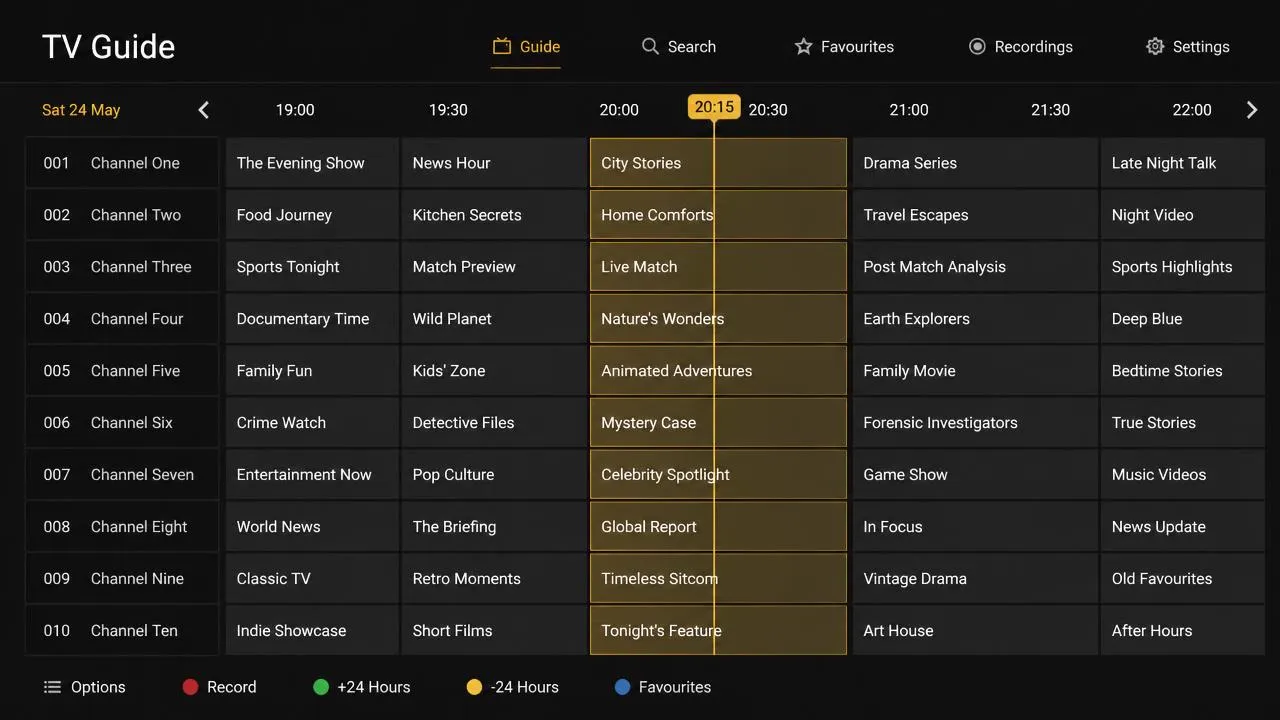
EPG stands for Electronic Programme Guide. It is the same idea as the guide button on a Freeview or satellite remote: a grid of channels down one side, time across the top, and programmes filling the space in between.
The difference with IPTV is where the data comes from. Broadcast television carries guide information alongside the signal; with IPTV it arrives separately, as a data file your player downloads and matches to your channels. That extra step is why the guide is occasionally the part that needs attention — see how IPTV works for the wider picture, or what IPTV is if you're new to it.
How an EPG works
- Your provider publishes schedule data for its channels.
- Your player downloads that data, usually on a daily schedule.
- Each channel in your list is matched to its entry in the guide data using an identifier.
- The player renders the grid and applies your local time zone.
Three things can go wrong in that chain: the source is unavailable, the match fails for some channels, or the time zone is misapplied. All three are usually fixable in the player's own settings.
What an EPG displays
| Element | What it tells you |
|---|---|
| Now and next | What is playing and what follows on each channel |
| Start and end times | When to tune in, and how long a programme runs |
| Programme description | A short synopsis, and often the year or genre |
| Series information | Episode and series numbers where supplied |
| Timeline marker | A line showing how far through the current programme you are |
| Future days | How many days ahead the schedule extends |
Why the guide is worth setting up
- Plan an evening without hopping through channels blindly.
- Find kick-off times without leaving the television.
- Identify which of several similarly named channels is showing the event you want.
- Use catch-up and recording features, which usually depend on guide data to know what a programme is.
EPG on Smart TVs
On Samsung, LG and other built-in platforms, the guide usually loads automatically once your credentials are entered. Give it a few minutes on first launch — the data file is often sizeable and older television processors take their time rendering a full grid.
If your set feels sluggish in the guide, trim the channel list to favourites. The IPTV Smart TV guide covers this and the rest of the setup.
EPG on Firestick
Fire TV devices handle programme guides well, though the amount of available memory matters when a guide covers thousands of channels. Keeping your list tidy and restarting the stick occasionally keeps the guide quick to open.
Setup and performance tips for the device are in our IPTV Firestick guide.
EPG on Android TV
Android TV players tend to offer the most guide options: multiple EPG sources, manual channel-to-guide mapping, adjustable time offsets and a choice of grid layouts.
Settings worth knowing
- Time offset — corrects an EPG published in UTC.
- Manual mapping — fixes individual channels with no data.
- Refresh interval — how often the guide re-downloads.
- Guide depth — how many days ahead to store.
If you're still choosing an app, our guide to the best IPTV player ranks guide support among the main criteria.
Common EPG problems
| Problem | Likely cause | Fix to try |
|---|---|---|
| Guide is completely empty | EPG source not set, or still downloading | Check the guide source in settings and force a refresh |
| Everything is an hour out | Time-zone offset during British Summer Time | Set the offset to match UK time in the player |
| Some channels have no data | Channel not matched to a guide entry | Map the channel manually if your player supports it |
| Guide is slow to open | Very large channel list on limited hardware | Reduce to favourites, or shorten the number of days stored |
| Descriptions are missing | Source provides titles only | Ask your provider whether a fuller source is available |
Note that a guide problem is not a streaming problem. If channels play but the schedule is wrong, your connection is fine — for stalling video see internet speed for IPTV.
Final thoughts
The EPG is a small piece of the setup that changes how the whole service feels. Point your player at the right source, correct the time offset, tidy your channel list, and IPTV starts behaving like the television you're used to.
Explore IPTV UK plans with IGIPTV to get started.
Frequently asked questions
What does EPG stand for?
Electronic Programme Guide — the on-screen schedule showing what is on now and next across your channels.
Why is my EPG showing the wrong times?
Usually a time-zone offset. Guide data is often published in UTC, so during British Summer Time the schedule appears an hour out until you correct the offset in your player.
Why do some channels have no programme information?
The channel has not been matched to an entry in the guide data, or the source does not include that channel at all.
How often does EPG data update?
Most players refresh on a schedule, typically daily. You can normally force a refresh in the app's guide settings.